
50 New AI Tools That Went Viral This Month
The AI space moves fast. Like, really fast. One week you’ve never heard of a tool, and the next week it’s all over your LinkedIn feed, your Slack channels, and your group chats.
This roundup is for entrepreneurs, content creators, marketers, and anyone running a small business who wants to stay ahead without spending hours down a rabbit hole. No fluff, no hype — just the new AI tools actually worth your time.
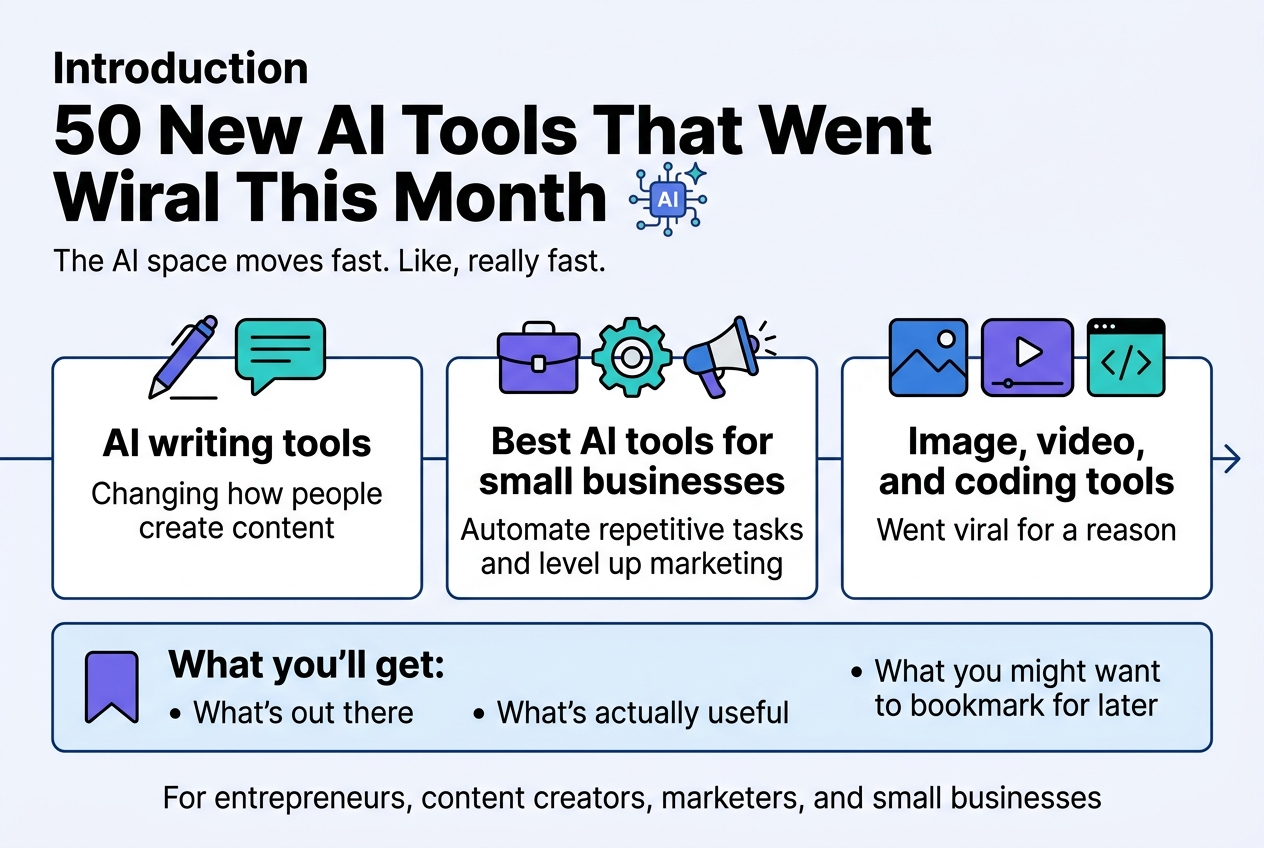
Here’s what we’re covering:
- AI writing tools that are changing how people create content (and yes, some of them are surprisingly good)
- The best AI tools for small businesses — from automating repetitive tasks to leveling up your marketing without hiring a full team
- Image, video, and coding tools that went viral for a reason
By the end, you’ll have a clear picture of what’s out there, what’s actually useful, and what you might want to bookmark for later. Let’s get into it.
Why These AI Tools Are Taking the Internet by Storm
What Makes an AI Tool Go Viral in 2024
Viral AI tools don’t happen by accident. There’s a very specific recipe behind every tool that blows up on social media, gets shared in Slack workspaces, and ends up as a trending topic on Reddit or X (formerly Twitter).
Here’s what separates the tools everyone talks about from the ones that quietly fade away:
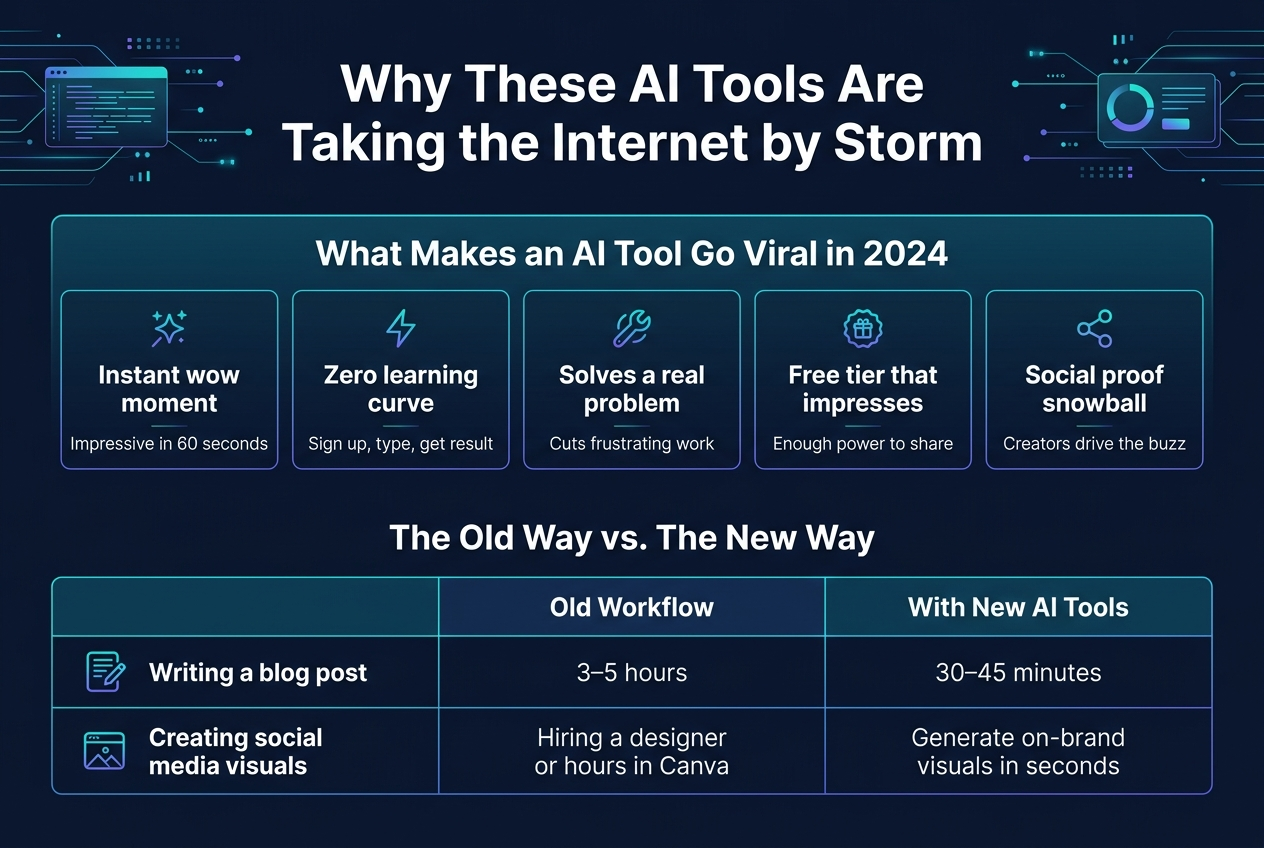
- Instant “wow” moment — The best tools deliver a result so impressive in the first 60 seconds that users immediately want to screenshot it and share it. Think image generators that turn a rough sketch into a photorealistic render, or AI writing tools that produce a full blog draft in under a minute.
- Zero learning curve — Tools that require a manual or a tutorial rarely go viral. The ones that explode are the ones where you sign up, type something in, and get a jaw-dropping result right away.
- Solves a real, frustrating problem — The most talked-about new AI tools aren’t solving theoretical problems. They’re cutting hours off tasks people genuinely hate doing — writing emails, editing videos, building presentations, cleaning up code.
- Free tier with enough power to impress — Freemium models that actually let users experience the full power of the tool (not a watered-down demo) consistently drive virality. People share what excites them, and they can only get excited if they’ve actually used it.
- Social proof snowball effect — Once a few creators or influencers post their results, their audiences flood in. The tool’s output becomes the content itself — and that’s free marketing that no ad budget can replicate.
In 2024 specifically, the bar has been raised significantly. A year ago, generating a decent AI image was enough to go viral. Now, users expect tools to be multimodal, fast, affordable, and deeply integrated into the apps they already use.
How These Tools Are Changing Everyday Workflows
The shift isn’t subtle anymore. New AI tools are quietly (and sometimes dramatically) restructuring how people spend their working hours — across industries, job titles, and company sizes.
The Old Way vs. The New Way
| Task | Old Workflow | With New AI Tools |
|---|---|---|
| Writing a blog post | 3–5 hours of research, drafting, editing | 30–45 minutes with AI writing tools handling the heavy lifting |
| Creating social media visuals | Hiring a designer or spending hours in Canva | Generating on-brand visuals in seconds |
| Responding to customer emails | Writing each reply manually | AI drafts responses; human reviews and sends |
| Summarizing a long report | Reading the whole thing | Upload and get a clean summary in 30 seconds |
| Writing and debugging code | Stack Overflow rabbit holes for hours | AI coding assistants suggest fixes in real time |
What’s really changing isn’t just speed — it’s cognitive load. People are spending less mental energy on tasks that felt mandatory but weren’t actually creative or strategic. That freed-up bandwidth gets redirected toward higher-value work.
For example, a solo content creator who used to spend most of their week writing scripts, editing thumbnails, and managing their newsletter can now use AI writing tools to handle the first drafts of all that content. That gives them more time for community building, partnerships, and actual creative direction.
Small business owners are seeing this shift too. Rather than outsourcing work they couldn’t afford or doing it poorly themselves, the best AI tools for small businesses are letting them operate like much larger teams — handling marketing copy, customer communication, basic design, and even financial summaries — all from one or two tools.
Workflows Being Transformed Right Now
- Content pipelines — AI writing tools are allowing content teams to 10x output without proportionally increasing headcount
- Customer support — AI handles tier-1 queries; humans focus on complex or sensitive issues
- Sales outreach — Personalized cold emails at scale, without the cold email grind
- Video production — Script-to-video AI tools are collapsing production timelines from weeks to hours
- Data analysis — Non-technical users are asking AI to interpret spreadsheets and generate reports without writing a single formula
Who Is Benefiting Most from These Breakthroughs
Not everyone benefits equally — and being honest about that is important. The people getting the most value from these new AI tools right now fall into some pretty clear groups.
Freelancers and Solo Creators
Freelancers might be the single biggest winners here. A copywriter using AI writing tools can take on more clients without burning out. A graphic designer can produce more variations faster. A solo developer can ship products that previously would have required a team. The leverage that used to come from hiring help now comes from the right tool stack.
Small Business Owners
The best AI tools for small businesses are genuinely leveling the playing field in ways that weren’t possible even two years ago. A local bakery owner can now produce professional-quality social media content. An e-commerce founder can run A/B tested email campaigns without a marketing department. A one-person consulting firm can deliver polished, data-backed reports that look like they came from an agency.
The cost savings alone are significant, but the confidence boost matters too — small business owners who previously felt outgunned by larger competitors with bigger marketing budgets are finding they can compete on quality.
Marketing and Creative Teams
Marketing teams are using the wave of new AI tools to compress campaign timelines, test more ideas, and iterate faster. Brainstorming sessions that used to take half a day now take 20 minutes when an AI can generate 50 headline variations, 10 campaign angles, and a rough visual concept before the coffee gets cold.
Developers and Technical Professionals
Developers are getting superhuman assistance through AI coding tools that catch bugs, suggest optimizations, write boilerplate code, and even explain legacy code that nobody on the current team wrote. Junior developers are ramping up faster. Senior developers are shipping more ambitious features.
Students and Researchers
Students are using AI tools to organize research, summarize papers, understand complex topics, and draft initial versions of written work. Researchers are processing literature faster, identifying patterns in data, and exploring hypotheses that would take months to test manually.
Who Still Has Friction
It’s worth being upfront — not everyone is seamlessly plugging into this wave. People with limited tech familiarity sometimes struggle to get past the initial setup or to prompt these tools effectively. Industries with heavy regulatory oversight (healthcare, law, finance) are adopting cautiously due to compliance concerns. And creatives who feel strongly about human authorship are wrestling with where AI assistance ends and their own voice begins.
The tools are powerful, but the learning curve around how to use them well — not just that you can use them — is still a real gap that the most successful users are actively closing.
Top AI Tools for Content Creation and Writing
Generate Stunning Copy in Seconds with These Picks
If you’ve ever stared at a blank screen wondering how to write a product description, email subject line, or social media caption that actually gets clicks — these new AI writing tools are about to change your life.
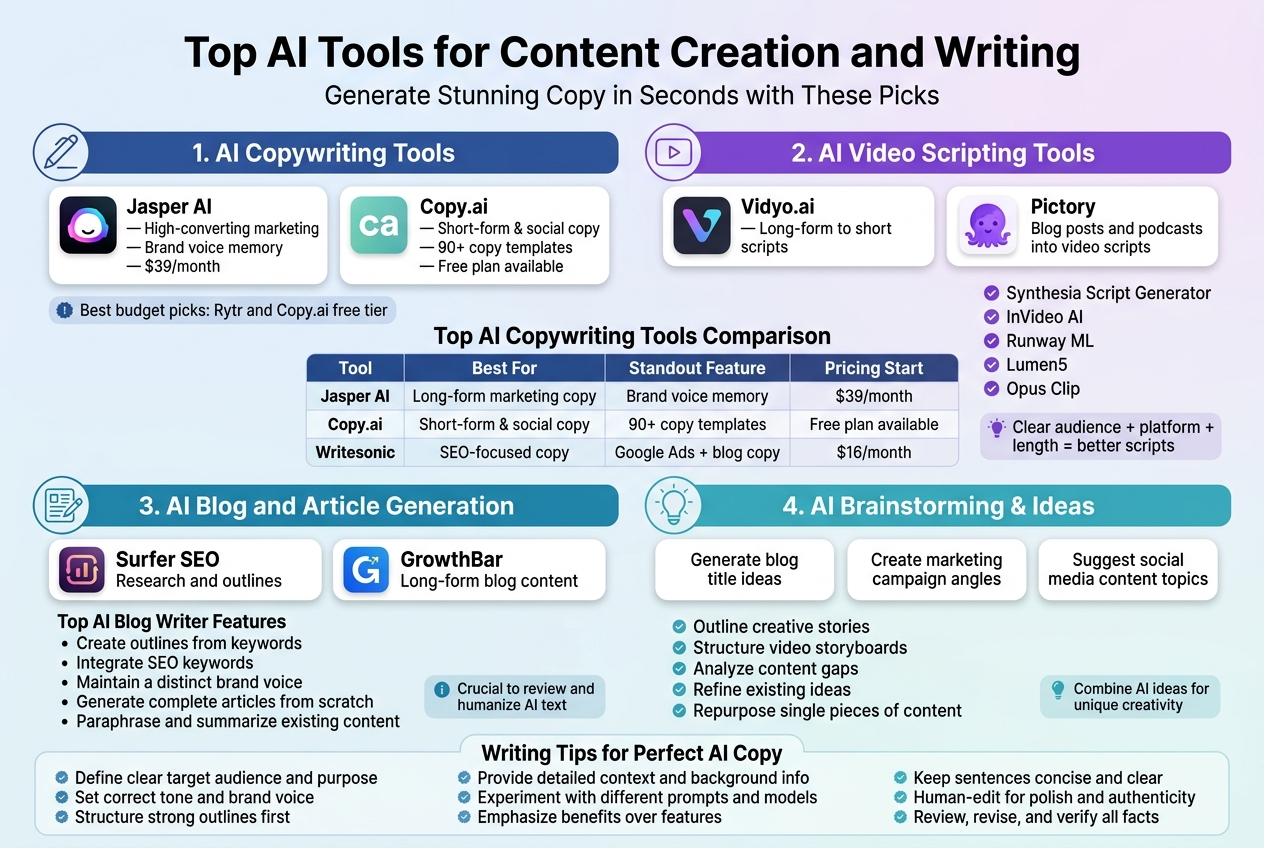
Jasper AI remains one of the most talked-about AI writing tools right now, and for good reason. It generates high-converting marketing copy faster than most human writers can type a headline. You plug in your brand voice, your product details, and your target audience, and Jasper spits out polished, ready-to-use copy in seconds. Small businesses especially love it because you no longer need a full-time copywriter to produce professional-grade content.
Copy.ai has gone viral for its ability to generate dozens of copy variations from a single prompt. Think product descriptions, cold emails, Instagram captions, and landing page headlines — all within one clean, easy-to-use dashboard.
Here’s a quick comparison of some of the top AI copywriting tools making waves right now:
| Tool | Best For | Standout Feature | Pricing Start |
|---|---|---|---|
| Jasper AI | Long-form marketing copy | Brand voice memory | $39/month |
| Copy.ai | Short-form & social copy | 90+ copy templates | Free plan available |
| Writesonic | SEO-focused copy | Google Ads + blog copy | $16/month |
| Rytr | Budget-friendly writing | 40+ use cases | Free plan available |
| Hypotenuse AI | eCommerce descriptions | Bulk product copy | $29/month |
For small businesses watching their budgets, Rytr and Copy.ai’s free tier are genuinely solid starting points. You get real, usable output without spending a dime — which is pretty rare in the AI tools space right now.
AI Tools That Make Video Scripting Effortless
Writing a script for a YouTube video, a product explainer, or a TikTok used to take hours of planning, drafting, and editing. The new wave of AI writing tools has completely flipped that process on its head.
Vidyo.ai and Pictory are two platforms getting a ton of buzz for turning long-form content like blog posts and podcasts into punchy video scripts and short clips. You give them raw content, and they pull out the best bits, structure them into a script format, and even suggest visual cues and transitions.
Descript has become a favorite among content creators who want to write, record, and edit video content all in one place. Its AI script writer helps you outline your video before you ever hit record, saving you the awkward “uh… where was I going with this?” moments mid-shoot.
Some standout AI tools specifically for video scripting include:
- Synthesia Script Generator — great for corporate training and explainer videos
- InVideo AI — converts a simple text prompt into a full video script with scene breakdowns
- Runway ML — more advanced, blending AI script suggestions with visual generation
- Lumen5 — turns blog posts into structured video scripts with matching media suggestions
- Opus Clip — identifies the most engaging moments in long videos and rewrites them as short-form scripts
What makes these tools particularly powerful for small businesses is that you don’t need a production team or a dedicated scriptwriter. A two-person team can now produce polished video content at the same volume as a much larger media operation.
Tips for Getting the Best Scripts from AI Tools
- Give the AI a clear audience persona before generating the script
- Always specify the video length and platform (YouTube vs. TikTok require very different tones)
- Use the first AI draft as a skeleton — add your own personality and specific examples on top
- Ask the tool to include a call-to-action in a specific spot within the script
Boost Your Blog Output with Smart Writing Assistants
Keeping up with a consistent blog publishing schedule is one of the hardest parts of content marketing. Most small business owners know they should be blogging regularly for SEO, but between running an actual business and trying to write 1,500-word articles every week, something always gives.
That’s exactly where the best AI writing tools are making their biggest impact right now.
Surfer SEO + AI is a powerhouse combination that doesn’t just write blog content — it writes blog content optimized to rank. You give it a target keyword, and it builds an outline based on what’s already ranking on Google, then helps you write each section with the right keyword density, heading structure, and word count built in.
Frase.io works similarly and has become a go-to for content teams who need to research, outline, and draft SEO blog posts faster. The AI pulls in real data from top-ranking pages and helps you write content that’s genuinely competitive, not just filler text.
For pure speed and volume, Writesonic’s Blog Writer and Longshot AI are consistently getting shoutouts in content marketing communities. Both can take a single blog topic and produce a full draft — complete with intro, subheadings, body content, and a call-to-action — in under two minutes.
What Makes a Great AI Blog Writing Assistant?
Not all AI writing tools are built the same. Here’s what separates the genuinely useful ones from the hype:
| Feature | Why It Matters |
|---|---|
| SEO integration | Helps your content actually get discovered on Google |
| Tone customization | Keeps your brand voice consistent across all posts |
| Plagiarism checking | Protects your site from duplicate content penalties |
| Fact-checking prompts | Reduces the risk of AI hallucinations making it into your final draft |
| CMS integration | Publish directly to WordPress or HubSpot without copy-pasting |
One thing worth keeping in mind: AI blog writing assistants work best when you treat them as a collaborator, not a replacement. The most successful content creators using these tools right now are the ones who bring their unique expertise, personal stories, and specific examples to the table — and let the AI handle the structure, formatting, and SEO scaffolding.
Turn Ideas into Polished Content Instantly
Some of the most exciting new AI tools right now are the ones that sit at the very beginning of the content creation process — the idea-to-first-draft pipeline. These tools take a raw, messy idea and shape it into structured, polished content before you’ve even had your second cup of coffee.
Notion AI has become wildly popular for exactly this reason. You jot down a rough idea or a bullet-point brain dump inside Notion, hit the AI button, and watch it transform your scattered thoughts into a coherent draft. It’s especially handy for people who think in ideas but struggle to sit down and write.
ChatGPT with custom GPTs is another powerhouse here. Building a custom GPT trained on your brand’s tone, past content, and target audience means every piece of content it produces already sounds like you — not like a generic AI output.
Narrato is one of the newer platforms getting serious attention in content marketing circles. It handles everything from content ideation to briefs to full drafts, all within a single workflow. For small business owners who are the entire content team, this kind of all-in-one setup is genuinely game-changing.
Here’s a look at some of the best AI tools for turning raw ideas into polished content:
- Notion AI — best for teams already living inside Notion; makes brainstorming to draft seamless
- ChatGPT (custom GPTs) — best for highly personalized, brand-consistent content at scale
- Narrato — best end-to-end content workflow for solo creators and small teams
- Otter.ai — records your spoken ideas and turns them into structured written content
- Tome — transforms bullet-point ideas into narrative-driven presentations and written pieces
- Quillbot — exceptional for refining and polishing rough first drafts quickly
How to Get from Idea to Published Content Faster
- Start with a voice memo or rough bullet points — don’t try to write a perfect brief. Just capture the idea in whatever form comes naturally.
- Feed it to your AI tool of choice with context about your audience and platform.
- Review the structure first before editing line by line. Move sections around before you polish sentences.
- Add your own specific data, examples, and personality — this is what makes AI-assisted content stand out from purely AI-generated content.
- Run it through an SEO checker if it’s going online, even if your AI tool already has SEO features built in.
The brands and creators winning with AI writing tools right now aren’t the ones outsourcing their entire content process to a bot. They’re the ones using these tools to remove friction from the parts of writing that slow them down — and then showing up with their own knowledge and voice to make the final product genuinely worth reading.
Best AI Tools for Image and Video Generation
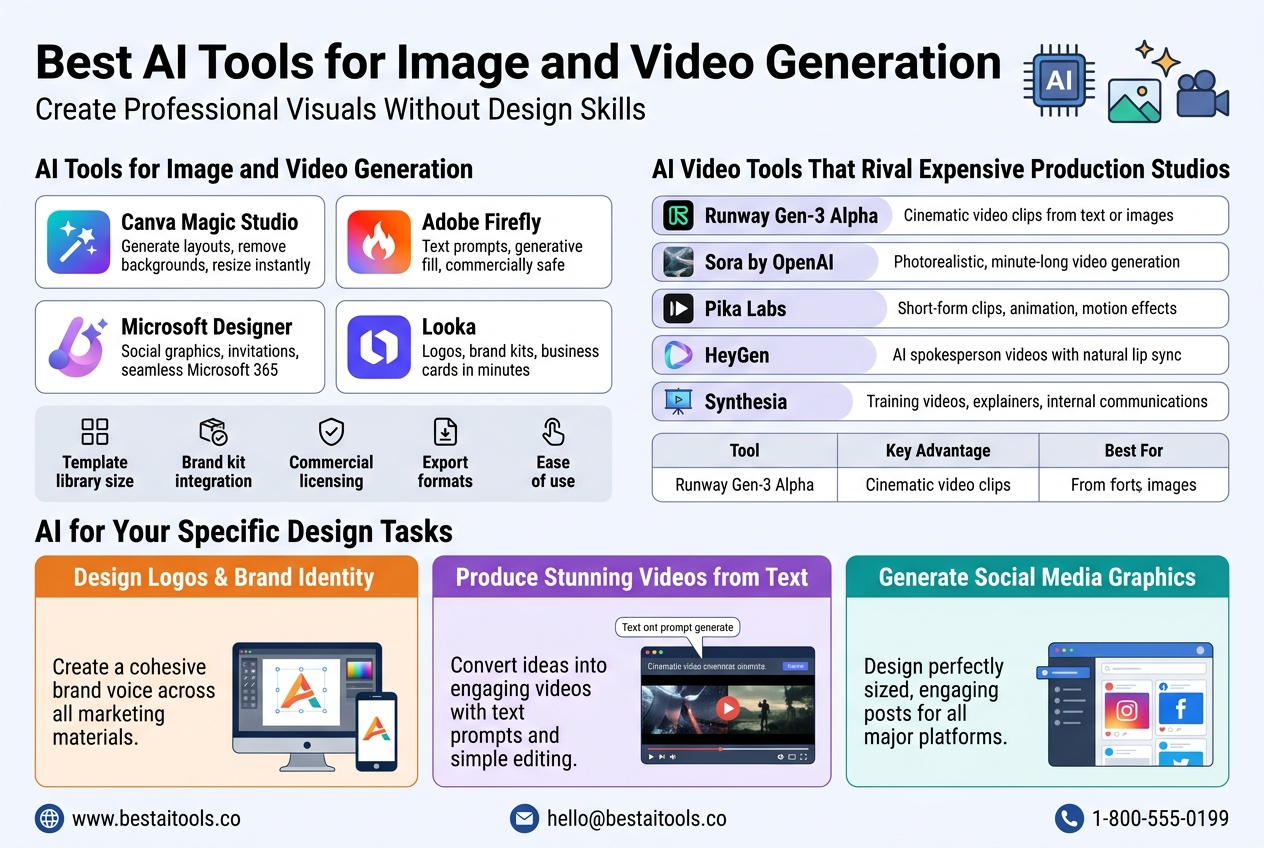
Create Professional Visuals Without Design Skills
Gone are the days when you needed a graphic design degree or a hefty Adobe subscription to produce stunning visuals. A wave of new AI tools has completely flipped the script, putting professional-grade design power into the hands of anyone with a browser and a good idea.
Here are some of the standout tools making noise right now:
- Canva Magic Studio – Canva was already a go-to for non-designers, but its AI-powered suite now lets you generate entire design layouts, remove backgrounds instantly, and resize graphics for any platform with a single click. This is one of the best AI tools for small businesses that need polished marketing materials without hiring a designer.
- Adobe Firefly – Deeply integrated into Adobe Express, Firefly lets you generate images, add generative fills to existing photos, and create on-brand templates using simple text prompts. The results are commercially safe, which matters enormously for brands and businesses.
- Microsoft Designer – Powered by DALL-E, Microsoft Designer pulls together your text, images, and brand elements to produce social media graphics, invitations, and promotional materials. If you’re already in the Microsoft 365 ecosystem, this slots in seamlessly.
- Looka – Specifically built for brand identity, Looka uses AI to generate logos, brand kits, and business card designs. Small business owners love it because the whole process takes about ten minutes flat.
What to Look for When Choosing a Visual AI Tool
| Feature | Why It Matters |
|---|---|
| Template library size | More starting points mean faster output |
| Brand kit integration | Keeps your visuals consistent across channels |
| Commercial licensing | Protects you legally when using AI-generated images |
| Export formats | Ensures compatibility with print and digital platforms |
| Ease of use | Saves time, especially for non-designers |
The real win here is speed. What used to take a freelance designer three days can now be done in under an hour, with results that genuinely look polished and intentional.
AI Video Tools That Rival Expensive Production Studios
Video content dominates every major platform right now, yet traditional video production is expensive, time-consuming, and requires real technical skill. These new AI tools are closing that gap fast, and the quality being produced is frankly jaw-dropping.
- Runway Gen-3 Alpha – Runway has been pushing the boundaries of AI video generation for a while, and Gen-3 Alpha is their most impressive release yet. You can generate high-quality video clips from text prompts or still images, with surprisingly fluid motion and cinematic quality. Filmmakers are already folding it into professional workflows.
- Sora by OpenAI – Still rolling out in stages, Sora has taken the internet by storm for its ability to generate realistic, minute-long video clips from simple text descriptions. The level of physical accuracy and scene consistency it achieves is something the industry has never seen before.
- Pika Labs – Pika focuses on short-form video creation and has built a passionate user base among content creators and social media managers. You can animate still images, add motion effects, and generate short clips with a clean, beginner-friendly interface.
- HeyGen – If you need talking-head videos without actually being on camera, HeyGen lets you create AI avatars that speak in multiple languages with natural-looking lip sync. It’s become a go-to for best AI tools for small businesses that want video content without the camera anxiety or production budget.
- Synthesia – Similar to HeyGen but with a stronger enterprise tilt, Synthesia is widely used for training videos, product explainers, and internal communications. You write a script, pick an avatar, and get a professional-looking video in minutes.
How These Tools Stack Up
| Tool | Best For | Price Range | Skill Level Required |
|---|---|---|---|
| Runway Gen-3 | Cinematic video clips | Mid to High | Intermediate |
| Sora | Photorealistic scene generation | TBD | Beginner |
| Pika Labs | Short-form social content | Low to Mid | Beginner |
| HeyGen | AI avatar spokesperson videos | Mid | Beginner |
| Synthesia | Corporate and training videos | Mid to High | Beginner |
The broader shift here is significant. Video production is no longer a barrier to entry for small businesses, solo creators, or startups. The playing field has leveled out dramatically, and that’s only going to accelerate.
Generate Unique Art and Graphics in One Click
AI image generation has exploded from a curious novelty into a genuinely powerful creative tool. Whether you’re a marketer hunting for fresh visuals, an author wanting custom book cover concepts, or just someone with a wild creative idea, these tools deliver results that would have cost thousands of dollars in commissions just a couple of years ago.
- Midjourney – Still one of the most talked-about tools in the space, Midjourney consistently produces stunning, highly stylized artwork from text prompts. Version 6 brought a massive leap in realism, text rendering within images, and prompt accuracy. It remains the top choice for creatives who care deeply about aesthetic quality.
- DALL-E 3 – Built directly into ChatGPT Plus and Microsoft Copilot, DALL-E 3 is probably the most accessible AI image generator out there. Its strength is understanding nuanced, detailed prompts and producing images that closely match what you described. Great for marketers and business owners who need quick, on-brand visuals.
- Stable Diffusion (via ComfyUI or Automatic1111) – For those who want maximum control and customization, Stable Diffusion is the open-source king. You can run it locally, fine-tune models on your own dataset, and produce highly specific styles. There’s a learning curve, but the ceiling is essentially unlimited.
- Ideogram – Ideogram cracked one of AI art’s biggest limitations — generating readable, accurate text inside images. This is a game-changer for anyone creating posters, social media graphics, or ads where text and visuals need to work together.
- Adobe Firefly – Worth mentioning again here specifically for its generative fill and generative expand features. You can take an existing photo, select an area, and have Firefly generate new content that blends in naturally. The commercial safety of its training data is a major plus for professional use.
Quick Comparison: Top AI Art Generators
| Tool | Standout Feature | Best User Type |
|---|---|---|
| Midjourney | Artistic quality and style range | Creatives and designers |
| DALL-E 3 | Prompt accuracy and accessibility | Marketers and business owners |
| Stable Diffusion | Full customization and control | Developers and power users |
| Ideogram | Text accuracy within images | Social media creators and advertisers |
| Adobe Firefly | Commercial safety and photo editing | Professional content teams |
A few things worth keeping in mind as you explore these tools:
- Prompt quality matters – The more specific and descriptive you are, the better your outputs will be. Think of writing prompts as a skill in itself.
- Iteration is part of the process – Rarely does the first generation hit exactly what you pictured. Most creators generate multiple variations and refine from there.
- Check usage rights – Different tools have different policies on commercial use. Before you drop an AI-generated image into a paid campaign, read the fine print.
- Combine tools – Many pros use Midjourney for initial concept art, then clean it up in Photoshop with Firefly’s generative fill. Stacking these tools gets you the best of both worlds.
The creative possibilities unlocked by these new AI tools are genuinely exciting. Whether you’re building a brand, creating content at scale, or just exploring your own artistic ideas, there has never been a more powerful toolkit available at such accessible price points.
Most Powerful AI Tools for Productivity and Automation
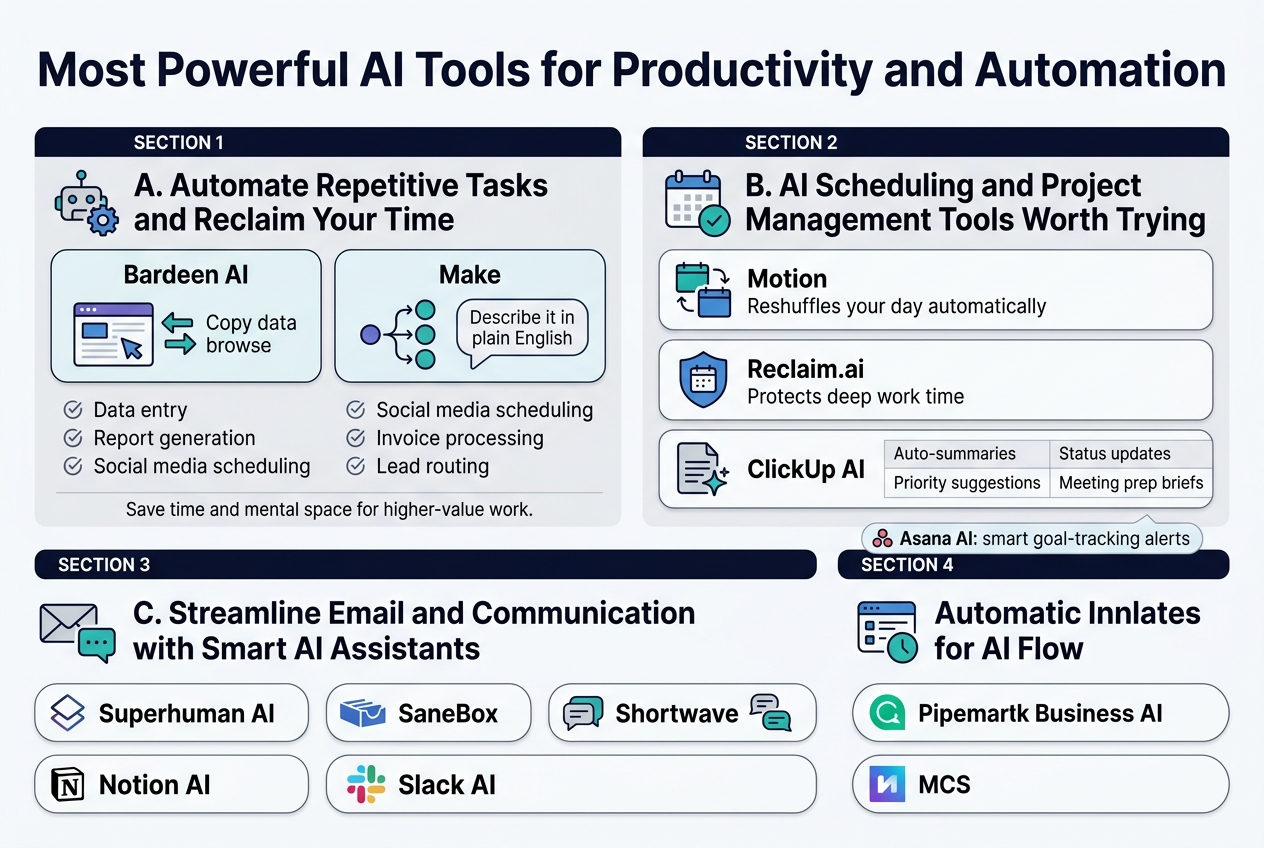
A. Automate Repetitive Tasks and Reclaim Your Time
If you’re still manually copying data between spreadsheets, sending the same follow-up emails, or clicking through the same five-step process every morning — there are new AI tools built specifically to take that off your plate.
Tools like Bardeen AI have exploded in popularity this month because they sit inside your browser and watch how you work. Then they replicate it. You do a task once, Bardeen learns the pattern, and from that point forward, it handles it while you focus on literally anything else.
Make (formerly Integromat) has also gotten a serious AI upgrade, letting you describe an automation in plain English and watching it build the workflow for you. No flowcharts. No coding. Just type what you want to happen, and it happens.
Here are some of the most popular repetitive tasks people are automating right now:
- Data entry — pulling info from emails, forms, or PDFs and dropping it into CRMs or spreadsheets
- Report generation — compiling weekly or monthly performance summaries automatically
- Social media scheduling — drafting and posting content based on a pre-set calendar
- Invoice processing — reading, categorizing, and logging invoices without human review
- Lead routing — automatically assigning new leads to the right sales rep based on location, industry, or deal size
The hours you save aren’t just about comfort. When you stop doing low-value tasks, you get back mental space that actually matters — the kind you need to solve real problems and make better decisions.
B. AI Scheduling and Project Management Tools Worth Trying
Getting everyone on the same page used to require a dedicated operations person, a wall of sticky notes, or a very patient team lead. AI scheduling tools are changing that fast.
Motion is one of the most talked-about new AI tools in the productivity space right now. It doesn’t just show you your calendar — it actively manages it. When a task takes longer than expected, Motion reshuffles your entire day automatically. It factors in deadlines, priorities, and your working hours, and adjusts in real time.
Reclaim.ai works similarly but puts a bigger focus on protecting your deep work time. It blocks off chunks of your calendar for focused work before meetings can crowd them out. It also syncs with tools like Slack so your availability is always accurate.
For project management, ClickUp AI has rolled out features that go well beyond task tracking:
| Feature | What It Does |
|---|---|
| Auto-summaries | Summarizes project threads so you don’t have to read 200 comments |
| Priority suggestions | Flags which tasks need attention based on due dates and dependencies |
| Status updates | Writes project update drafts based on completed tasks |
| Meeting prep briefs | Pulls relevant info before a client or team meeting |
Asana’s AI features have also gotten stronger, with smart goal-tracking that alerts you when a project is drifting off course — before it becomes a problem instead of after.
For small businesses especially, these tools are game-changers. A five-person team can now operate with the kind of organized, systematic project flow that used to require a dedicated project manager. That’s a huge deal for the best AI tools for small businesses conversation happening right now across every industry forum and LinkedIn thread.
C. Streamline Email and Communication with Smart AI Assistants
Email is where productivity goes to die. The average professional spends close to three hours a day in their inbox — and most of that time isn’t actually productive. It’s scanning, sorting, and writing the same types of messages over and over.
New AI assistants are cutting that time down dramatically.
Superhuman AI has been buzzing this month because of how aggressively it speeds up the email experience. It reads your inbox, drafts replies in your voice, and surfaces the most important threads so you’re not wading through newsletters to find your actual work.
SaneBox pairs beautifully with any email client and uses AI to learn what matters to you. Emails it thinks are low-priority get swept into a separate folder automatically. After a week of gentle corrections, it gets scarily accurate.
Shortwave is another one making rounds, particularly among teams who live in Gmail. It groups conversations intelligently, lets AI summarize long threads, and even drafts context-aware replies.
For team communication beyond email, Notion AI and Slack’s built-in AI features are helping teams:
- Summarize long channel threads in seconds
- Draft announcements and updates in a specific tone
- Pull answers from company wikis without searching manually
- Translate messages across languages for international teams
The real shift here isn’t just speed — it’s clarity. When AI handles the mechanical parts of communication (formatting, summarizing, routing), humans can focus on the parts that actually need a human: nuance, relationships, and judgment calls.
D. Connect Your Favorite Apps Using AI-Powered Workflows
One of the biggest productivity drains for most people isn’t any single task — it’s the friction between tools. You get a lead in one app, manually copy it to another, then paste a note into a third. That gap between tools is exactly where AI-powered workflow builders are stepping in.
Zapier has gone all-in on AI this year, launching Zapier AI that lets you describe a workflow in natural language and builds the automation for you. You don’t need to know which triggers or actions to select — just explain what you want to happen, and the AI figures out the plumbing.
n8n is picking up serious momentum among developers and tech-savvy small business owners who want more control. It’s open-source, deeply customizable, and now has AI nodes that let you add language model capabilities anywhere in a workflow — like automatically classifying customer support tickets before routing them.
Relay.app is newer but getting attention fast. It blends human checkpoints into automated workflows, which is perfect for situations where you want automation handling the heavy lifting but a person making the final call before something goes out.
Here are some high-impact multi-app workflows people are building right now:
- New form submission → CRM entry → personalized welcome email → Slack notification to sales
- Podcast episode upload → AI transcription → blog post draft → social media captions
- Customer review received → sentiment analysis → escalation if negative → thank-you reply if positive
- Invoice received via email → extracted data → accounting software entry → payment reminder scheduled
What’s worth paying attention to is how low the barrier has dropped. A year ago, building these kinds of connected workflows required either a developer or hours of trial and error. Now, describing it in a sentence is genuinely enough.
E. Eliminate Busywork and Focus on High-Value Activities
There’s a version of your workday where you spend most of it doing things that actually move the needle — creative thinking, relationship building, strategy, problem-solving. Busywork is everything standing between you and that version of your day.
New AI tools are specifically designed to chip away at that busywork layer by layer.
Mem.ai handles the note-taking and knowledge management chaos that eats up so much time. It automatically connects related notes, surfaces relevant context when you start a new project, and even generates summaries from your own past writing.
Otter.ai has been around a while but recently leveled up hard. It now attends your meetings autonomously, takes notes, highlights action items, and sends a summary to everyone involved — without you lifting a finger after clicking “join.”
Fireflies.ai does similar work with a stronger focus on sales and customer-facing teams. It records, transcribes, and analyzes calls, then flags moments where competitors were mentioned, objections came up, or pricing was discussed. Sales managers are using this to coach teams without having to sit on every call.
For small business owners wearing six different hats, the value of these tools is almost hard to overstate. Imagine:
- Never manually writing meeting notes again
- Never digging through your inbox to find what someone said three weeks ago
- Never rebuilding context every time you switch between clients or projects
- Never spending Sunday night prepping reports that AI can generate in 30 seconds
The smartest thing you can do right now is pick one area of your workday that frustrates you the most and find the AI tool built to fix exactly that. Start there, get comfortable, then stack another tool on top. Within a month, the amount of headspace you get back will feel genuinely surprising.
Game-Changing AI Tools for Business and Marketing
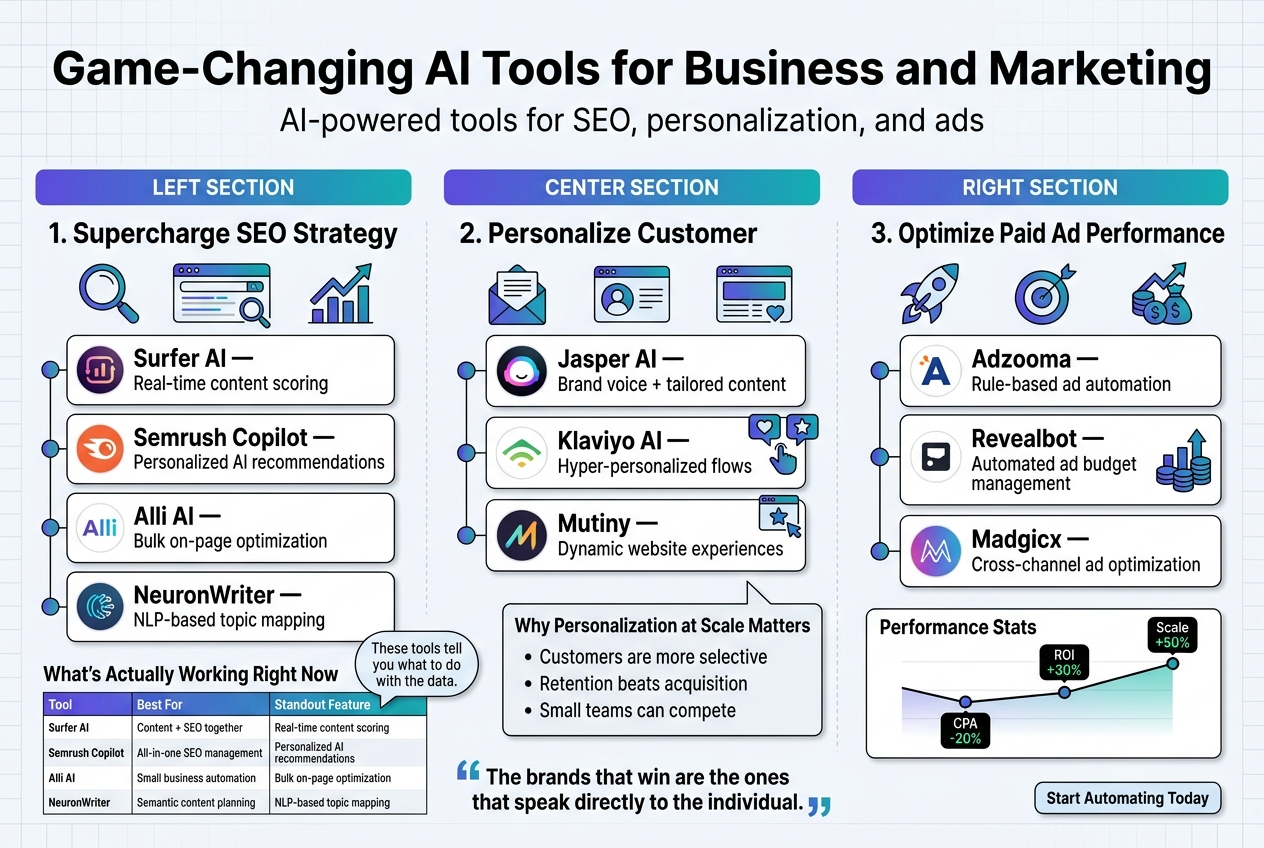
Supercharge Your SEO Strategy with AI-Driven Insights
SEO used to mean hours of keyword research, competitor stalking, and guessing games. The new AI tools hitting the market right now are flipping that entire process on its head — and small businesses are winning big because of it.
Here are some of the hottest AI-powered SEO tools making waves:
- Surfer AI — Combines content writing with real-time SERP analysis so your articles are optimized before you even hit publish. It tells you exactly how long your content should be, which keywords to sprinkle in, and how to structure headings — all based on what’s actually ranking.
- Semrush Copilot — Semrush’s AI assistant now sits inside your dashboard and actively flags issues, prioritizes fixes, and suggests keyword opportunities tailored to your specific domain. No more digging through endless reports.
- Alli AI — Perfect for best AI tools for small businesses that can’t afford a full SEO team. Alli AI automates on-page optimization across your entire website in bulk. Change meta tags, headings, and schema markup from one dashboard without touching a single line of code.
- NeuronWriter — A sleek content optimization platform that uses NLP (natural language processing) to analyze top-ranking pages and tell you what topics, questions, and semantic terms your content is missing.
What’s Actually Working Right Now
| Tool | Best For | Standout Feature |
|---|---|---|
| Surfer AI | Content + SEO together | Real-time content scoring |
| Semrush Copilot | All-in-one SEO management | Personalized AI recommendations |
| Alli AI | Small business automation | Bulk on-page optimization |
| NeuronWriter | Semantic content planning | NLP-based topic mapping |
The biggest shift? These tools don’t just report data — they tell you what to do with it. That’s a massive upgrade from the old way of doing things.
Personalize Customer Experiences at Scale
Customers today expect brands to know them. Not in a creepy way — in a “this brand actually gets me” kind of way. That level of personalization used to require massive marketing teams and expensive CRM systems. Now? A handful of new AI tools can handle it almost automatically.
Jasper AI has evolved way beyond being just an AI writing tool. Its brand voice feature lets you train the AI on your specific tone, products, and customer personas — then generate personalized email sequences, landing pages, and ad copy that feels genuinely tailored. For businesses scaling content output without scaling headcount, this is a serious game-changer.
Klaviyo AI is doing something really exciting for e-commerce brands. It analyzes individual customer behavior — what they browse, what they buy, when they typically open emails — and auto-generates hyper-personalized flows. Instead of sending the same “We miss you” email to 10,000 people, you’re sending the right message, to the right person, at the exact right moment.
Mutiny takes personalization to your website itself. The platform uses AI to show different website experiences to different visitors based on their company size, industry, or behavior. A startup founder visiting your pricing page sees different messaging than an enterprise buyer — without you manually building separate pages.
Why Personalization at Scale Matters More Than Ever
- Customers are more selective — Generic outreach gets ignored. Personalized messaging converts.
- Retention beats acquisition — Personalizing the post-purchase experience builds loyalty and reduces churn.
- Small teams can compete — The best AI tools for small businesses now let a two-person marketing team do the work of a twenty-person department.
The brands winning in 2024 aren’t necessarily the ones with the biggest budgets — they’re the ones using AI to make every customer feel like the only customer.
Boost Ad Performance Using AI Optimization Tools
Running paid ads without AI optimization right now is like driving with your eyes half closed. You might get somewhere, but you’re leaving a ton of money on the table.
These new AI tools are changing how businesses build, test, and scale their ad campaigns across Google, Meta, TikTok, and beyond.
AdCreative.ai generates hundreds of ad variations — headlines, visuals, copy — and predicts which ones will perform best before you spend a single dollar. It scores creatives based on data from millions of high-performing ads, so you’re not just guessing what will resonate with your audience.
Madgicx is an all-in-one ad management platform powered by AI. It handles audience targeting, budget allocation, and creative testing on Meta ads automatically. If an ad set starts underperforming, Madgicx catches it early and reallocates your budget to what’s working — all without you having to babysit the campaign.
Pencil is specifically built for generating high-converting video ad scripts and visuals using AI. You feed it your brand assets, target audience details, and product info, and it spits out ready-to-run video ad concepts. For e-commerce brands running TikTok or Instagram ads, this one is genuinely impressive.
Google’s Performance Max + AI — Google has been doubling down on AI-driven ad delivery, and Performance Max campaigns now lean heavily on machine learning to serve your ads across Search, Display, YouTube, and Gmail simultaneously. Pair that with smart bidding strategies and you have a system that self-optimizes continuously.
Quick Comparison: AI Ad Tools at a Glance
| Tool | Platform Focus | Key Strength |
|---|---|---|
| AdCreative.ai | Multi-platform | AI-scored creative generation |
| Madgicx | Meta Ads | Autonomous budget optimization |
| Pencil | Video Ads (TikTok/Instagram) | AI-generated video ad concepts |
| Google Performance Max | Google Ecosystem | Cross-channel AI delivery |
Tips for Getting the Most Out of AI Ad Tools
- Feed the AI good data. These tools learn from your inputs — the more specific your targeting parameters and creative briefs, the better the output.
- Don’t set and forget completely. AI handles the heavy lifting, but reviewing performance weekly keeps campaigns on track.
- Test aggressively early. AI tools thrive when they have enough data. Run multiple creative variations in the early stages so the algorithm has something to learn from.
- Align copy and visuals. The best-performing ads have messaging that’s consistent across every element. AI writing tools and ad creative tools work best when used together.
Businesses that are combining AI-driven ad creative with AI-powered optimization are seeing significant drops in cost-per-click and meaningful jumps in return on ad spend. The tools have become good enough that even a solo founder can run sophisticated, multi-channel campaigns that used to require a full growth team to manage.
Innovative AI Tools for Coding and Development
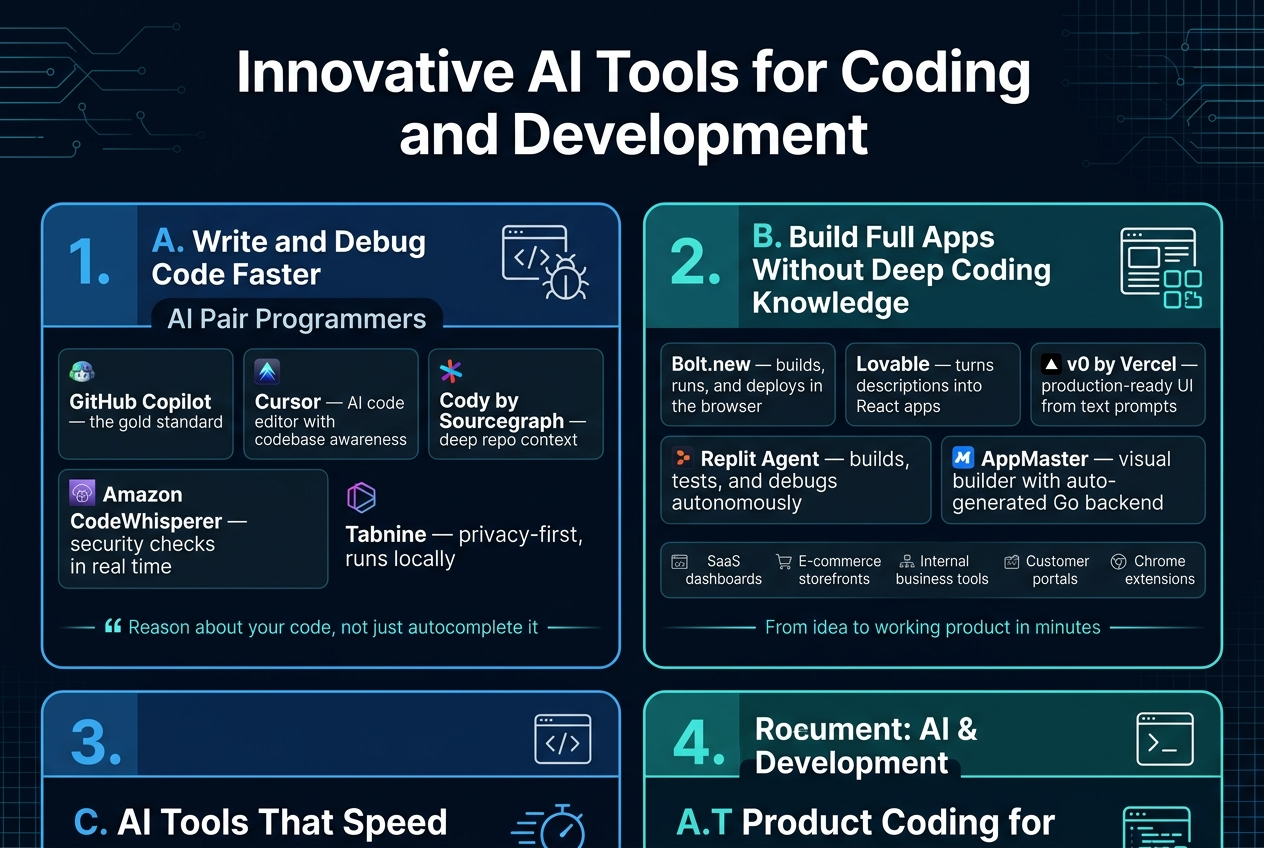
A. Write and Debug Code Faster with AI Pair Programmers
Gone are the days of staring at a blank screen, waiting for inspiration to strike or spending hours hunting down a sneaky bug. AI pair programmers have completely changed the game for developers at every skill level.
GitHub Copilot remains the gold standard, but a wave of new AI tools has entered the space with serious firepower:
- Cursor – A code editor built from the ground up with AI at its core. You can highlight a block of code, describe what’s wrong, and watch it get fixed in seconds. It understands entire codebases, not just individual files.
- Cody by Sourcegraph – Deep codebase awareness makes this one stand out. It reads your entire repo and gives context-aware suggestions that actually make sense for your project.
- Amazon CodeWhisperer – Excellent for teams already working in AWS environments. It flags security vulnerabilities in real time while you type, which is a massive win.
- Tabnine – Privacy-first AI coding assistant that can run locally if you’re working with sensitive codebases. Teams love this one.
What makes modern AI pair programmers different from simple autocomplete is their ability to reason about your code. They understand intent, not just syntax. You can describe what a function should do in plain English, and they’ll write it. You can paste an error message, and they’ll explain what caused it and suggest a fix — often the right one on the first try.
Debugging Gets a Serious Upgrade
Debugging with AI tools now feels like having a senior developer looking over your shoulder:
- Explain error messages in plain language
- Trace the root cause across multiple files
- Suggest refactors that eliminate the problem entirely
- Generate unit tests to catch the same bug type in the future
For small businesses with lean dev teams, these tools are a lifeline. You don’t need to hire three senior engineers when one developer armed with the right AI tools can move just as fast.
B. Build Full Apps Without Deep Coding Knowledge
This is where things get genuinely exciting. A whole category of new AI tools has emerged that lets non-developers — or developers who want to move faster — build complete, functional applications without writing thousands of lines of code.
The biggest names making waves right now:
| Tool | Best For | Standout Feature |
|---|---|---|
| Bolt.new | Full-stack web apps | Builds, runs, and deploys apps entirely in the browser |
| Lovable | Startup MVPs | Turns a description into a working React app |
| v0 by Vercel | UI components | Generates production-ready UI from text prompts |
| Replit Agent | End-to-end projects | Builds, tests, and debugs autonomously |
| AppMaster | Backend-heavy apps | Visual builder with auto-generated Go backend code |
Bolt.new has gone absolutely viral for a reason. You type something like “Build me a task management app with user authentication and a dashboard,” and it spins up a working application — frontend, backend, database connections and all. What used to take a dev team two weeks now takes about twenty minutes.
Who Benefits Most?
- Founders and entrepreneurs who have ideas but no coding background
- Designers who want to prototype functional products, not just mockups
- Small business owners who need custom internal tools without the agency price tag
- Marketers who want to spin up landing pages or micro-apps without waiting on dev resources
These platforms have dramatically lowered the barrier to entry. The best AI tools for small businesses looking to build digital products are no longer just code editors — they’re full development environments that do the heavy lifting for you.
What These Tools Can Build
- SaaS dashboards and admin panels
- E-commerce storefronts with custom logic
- Internal business tools and workflows
- Customer portals and booking systems
- Chrome extensions and browser tools
- APIs and microservices
The caveat? For highly complex, enterprise-scale applications, you’ll still want an experienced developer in the loop. But for getting from zero to a working product — these tools are hard to beat.
C. AI Tools That Speed Up Testing and Deployment
Testing has historically been one of the most time-consuming parts of software development. Writing test cases is tedious, maintaining them is painful, and coverage gaps lead to bugs that reach production. AI is changing all of that.
Top AI testing and deployment tools making headlines:
- Testim – Uses machine learning to create self-healing tests. When your UI changes, the tests adapt automatically instead of breaking. This alone saves dev teams dozens of hours per sprint.
- Mabl – Intelligent end-to-end testing platform that automatically detects regressions and performance changes.
- Diffblue Cover – Writes Java unit tests autonomously. Point it at your codebase and it generates a comprehensive test suite without any human input.
- CodiumAI – Analyzes your code and suggests meaningful test cases based on actual behavior, edge cases, and potential failure points.
- Octomind – Generates Playwright end-to-end tests from natural language descriptions. Describe a user flow, get working tests.
Smarter CI/CD Pipelines
Beyond testing, AI is now embedded in deployment workflows:
- Harness uses AI to analyze deployment patterns and automatically roll back if something goes sideways
- LaunchDarkly has added AI features that help teams decide when and how to release features based on historical performance data
- Railway and Render have added AI-assisted configuration tools that make deployment accessible even to developers who’ve never set up infrastructure before
For teams shipping code fast, the combination of AI-generated tests and intelligent CI/CD pipelines means fewer bugs in production and faster release cycles — without hiring a dedicated QA team.
The Testing Coverage Problem, Solved
One of the dirtiest secrets in software development is that most codebases have terrible test coverage because writing tests feels like doing paperwork. AI tools flip that dynamic. Generating tests becomes as fast as generating code, which means teams actually do it.
A rough breakdown of time savings reported by dev teams using AI testing tools:
- Writing unit tests: 70-80% faster
- Identifying edge cases: 60% faster
- Debugging failed tests: 50% faster
- Setting up test environments: 40% faster
D. Save Hours of Development Time with Smart Autocomplete
Smart autocomplete has evolved light years beyond the IntelliSense suggestions developers grew up with. Today’s AI-powered autocomplete tools don’t just finish your current line — they predict entire functions, suggest architectural patterns, and learn from your personal coding style over time.
The tools leading this space:
- GitHub Copilot – Still the most widely adopted, now with multi-file context and a chat interface baked directly into VS Code and JetBrains IDEs
- Tabnine – Learns from your team’s specific codebase patterns, making suggestions that feel like they came from a teammate who knows your project inside out
- JetBrains AI Assistant – Deep integration with JetBrains IDEs with smart completion, documentation generation, and commit message writing
- Supermaven – New kid on the block with a 300,000-token context window, letting it reference huge amounts of your codebase for more relevant completions
- Codeium – Free tier that’s remarkably capable, with support for 70+ programming languages
What “Smart” Actually Means Here
Old autocomplete finished words. New AI autocomplete:
- Completes entire logical blocks based on surrounding context
- Reads comments and docstrings to understand what you’re trying to build
- Suggests the right library or method based on your existing imports
- Generates boilerplate code instantly — API routes, database schemas, form validators
- Writes documentation and inline comments as you code
- Adapts to your personal coding style over time
Languages and Frameworks Covered
Most leading AI autocomplete tools now support a wide range of stacks:
| Category | Examples |
|---|---|
| Frontend | React, Vue, Angular, Svelte, Next.js |
| Backend | Node.js, Python, Go, Ruby, Java, C# |
| Mobile | Swift, Kotlin, Flutter, React Native |
| Data & ML | Python, R, SQL, Jupyter Notebooks |
| DevOps | Terraform, Kubernetes YAML, Bash, Docker |
The productivity gains are real and measurable. Developers using AI autocomplete tools consistently report writing 30-55% more code per day without sacrificing quality — and junior developers close the skill gap with senior teammates much faster when they have intelligent suggestions guiding them in real time.
For small development teams and solo developers, smart autocomplete tools are arguably the highest-ROI investment in the current landscape of new AI tools. The time saved on routine code — getters, setters, API handlers, form validation — frees up mental bandwidth for the harder, creative problems that actually require human thinking.
Emerging AI Tools You Should Watch Closely
Under-the-Radar Tools Gaining Rapid Momentum
Not every new AI tool launches with a massive marketing budget or a celebrity endorsement. Some of the most exciting ones are quietly picking up steam in niche communities, Discord servers, and startup circles — and then one day they just explode.
Here are a few worth keeping your eye on:
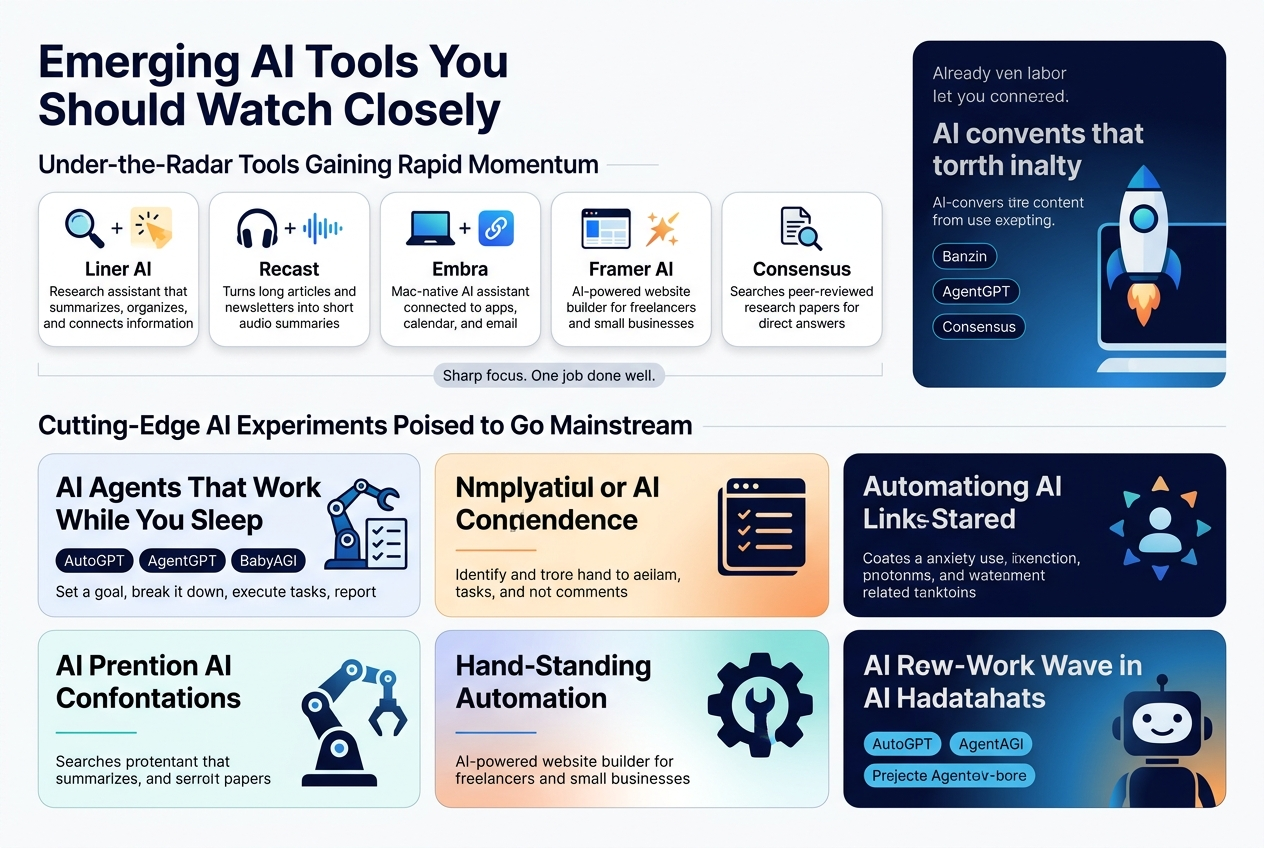
- Liner AI — Originally a web highlighter, Liner has evolved into a research assistant that summarizes, organizes, and connects information across sources. Students and researchers are raving about it, and its user base is growing fast.
- Recast — This tool turns long-form articles and newsletters into short audio summaries. Commuters and busy professionals are adopting it quickly, and it’s becoming a sleeper hit among podcast fans who don’t always have time to listen to full episodes.
- Embra — A Mac-native AI assistant that connects directly to your apps, calendar, and email. It’s still in early access, but the waitlist is growing rapidly. Think of it as a smarter, context-aware version of Spotlight Search.
- Framer AI — Already a strong design tool, Framer’s AI-powered website builder is gaining serious traction among freelancers and best AI tools for small businesses looking to launch a polished site without hiring a developer.
- Consensus — A search engine that pulls answers directly from peer-reviewed research papers. It’s flying under the radar for most people, but scientists, academics, and curious minds are building habits around it fast.
What these tools share is a sharp focus. They’re not trying to do everything. They do one thing really well, and that’s exactly why users stick around.
Cutting-Edge AI Experiments Poised to Go Mainstream
Some of the most exciting new AI tools right now exist somewhere between “wild experiment” and “the future of how we work.” They’re not quite household names yet, but give it six months — you’ll be hearing about them everywhere.
AI Agents That Work While You Sleep
A whole new wave of autonomous AI agents is starting to move from research papers into actual products. Tools like AutoGPT, AgentGPT, and BabyAGI are letting users set a goal and watch the AI break it down, execute tasks, search the web, write code, and report back — all without hand-holding.
This is a fundamentally different way of working with AI. Instead of asking a question and getting an answer, you’re handing off a project. The implications for productivity are enormous.
Multimodal AI Tools
Tools that can process and generate text, images, audio, and video all at once are starting to reach the hands of regular users. Google’s Gemini, GPT-4o, and newer experimental models are leading this charge. Soon, you’ll be able to drop in a photo, a PDF, and a voice note and get a single cohesive output from one tool.
For AI writing tools, this means you won’t just get a draft — you’ll get a full content package with images, captions, and even a short video summary ready to post.
Real-Time AI Collaboration
Platforms like Notion AI, Coda AI, and some newer startups are starting to experiment with AI that works alongside your team in real time — not just answering questions but actively participating in documents, flagging inconsistencies, and suggesting next steps as your team types.
This is still early, but the trajectory is obvious. Within a year or two, having an AI team member in every meeting and document will feel completely normal.
| Tool | What Makes It Experimental | Why It Could Go Mainstream |
|---|---|---|
| AutoGPT | Fully autonomous task execution | Reduces manual workflow dramatically |
| GPT-4o | Combines text, image, and audio | One tool for nearly every creative task |
| Gemini Ultra | Deep Google ecosystem integration | Seamless for Google Workspace users |
| Embra | Context-aware Mac OS assistant | Replaces multiple productivity apps |
| Consensus | Research-backed AI answers | Trusted source layer for AI output |
Niche AI Solutions Solving Specific Industry Problems
General-purpose AI tools get all the headlines, but some of the sharpest new AI tools being built right now are laser-focused on fixing very specific problems in very specific industries. And in many cases, they’re doing it better than any broad tool ever could.
Healthcare and Mental Health
- Nabla Copilot — An AI assistant built specifically for doctors that listens to patient conversations and automatically generates clinical notes. It’s saving physicians hours of documentation time every week.
- Woebot — A mental health chatbot grounded in cognitive behavioral therapy (CBT). It’s not a replacement for a therapist, but it gives users a safe space to process thoughts between sessions, and the clinical results are surprisingly strong.
Legal and Compliance
- Harvey AI — Built specifically for law firms, Harvey drafts contracts, reviews documents, and conducts legal research using models trained on legal data. Major firms are already signing on, and it’s changing how junior associates spend their time.
- Spellbook — A contract drafting tool that plugs directly into Microsoft Word. Lawyers can highlight a clause and instantly get suggestions, red flags, or alternative language. It fits right into existing workflows, which is why adoption is smooth.
Architecture and Real Estate
- Maket — An AI tool that generates architectural floor plans based on simple inputs like square footage, room requirements, and style preferences. Architects and interior designers are using it to speed up early-stage ideation dramatically.
- REimagineHome — A virtual staging tool that lets real estate agents drop furniture and decor into empty room photos using AI. It’s faster and a fraction of the cost of traditional virtual staging.
Education and Learning
- Khanmigo by Khan Academy — Powered by GPT-4, this tutoring assistant guides students through problems with Socratic questioning rather than just giving answers. It’s one of the most thoughtful educational AI tools built so far.
- Synthesis Tutor — Originally built for SpaceX employees’ kids, this problem-solving platform uses AI to adapt difficulty in real time. It’s now open to the public and getting attention from homeschooling communities and progressive schools.
Agriculture
- Mineral by X (formerly Google X) — Uses AI-powered ground vehicles and computer vision to analyze crops at the individual plant level. It’s helping farmers detect disease, track growth, and make smarter decisions at scale. Still in pilot phases, but the potential is massive for global food systems.
What Makes These Tools Different
These aren’t just new AI tools with a fresh coat of paint on a general model. They’re built with domain-specific training data, purpose-built workflows, and deep integration into the existing tools and processes of each industry.
That’s a big deal. A lawyer doesn’t want a general chatbot — they want something that knows what indemnification clauses are and why certain contract language creates liability exposure. A doctor doesn’t want to prompt an AI from scratch — they want something that already understands medical terminology and documentation standards.
For best AI tools for small businesses operating in a specific vertical — whether that’s real estate, healthcare services, legal services, or agriculture — these niche tools are often far more valuable than any general-purpose platform, because they speak your language and fit directly into your day.
The trend here is clear: the next wave of AI adoption won’t just be about bigger, faster, smarter general models. It’ll be about smaller, sharper, more specialized ones that genuinely understand the job that needs to get done.
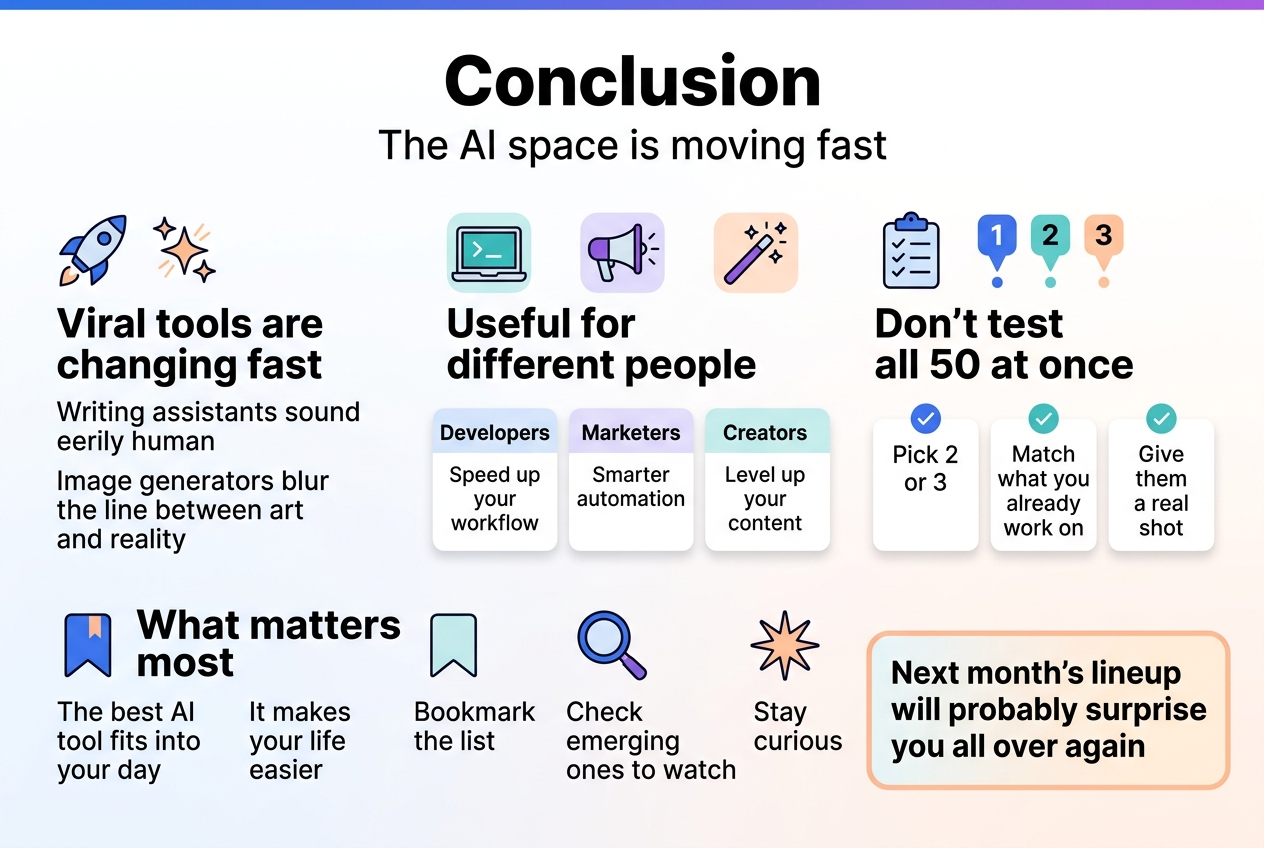
The AI space is moving fast, and this month’s viral tools prove just how quickly things are changing. From writing assistants that sound eerily human to image generators that blur the line between art and reality, there’s something in this list for everyone. Whether you’re a developer looking to speed up your workflow, a marketer chasing smarter automation, or a creator wanting to level up your content, these tools are worth exploring.
Don’t feel overwhelmed trying to test all 50 at once. Pick two or three that match what you’re already working on, give them a real shot, and see what sticks. The best AI tool is the one that actually fits into your day and makes your life easier. Bookmark this list, check back on those emerging ones to watch, and stay curious because next month’s lineup will probably surprise you all over again.
Looking for more cutting-edge AI tools and resources? Visit Best AI Tool Spot to discover the latest AI platforms, software reviews, and emerging technologies shaping the future.