
Can you build a real, working AI toolkit in 2026 without paying a cent? Yes — but only if you know which “free” tiers are genuinely free and which ones are just week-long trials wearing a free badge.
We went through the free plans of the best free AI tools in 2026 on the market right now and kept only the ones that pass a simple test: no credit card at signup, no forced expiration, and enough real functionality to actually get work done. Everything below is something you can start using today with nothing but an email address.
AI Tools
| Tool | Best For | Free Limit |
|---|---|---|
| ChatGPT | All-around chatbot | ~15 messages / 3 hrs on GPT-4o |
| Claude | Long documents & writing | Daily message cap |
| Google Gemini | Real-time info & Workspace | Generous daily cap |
| Perplexity | Research with sources | Daily search cap |
| Canva Magic Studio | Design & image editing | Limited premium credits |
| Google NotebookLM | Studying & source research | Free during preview |
| Leonardo AI | AI image generation | 150 credits/day |
| Grammarly | Grammar & writing help | Basic corrections only |
| Otter.ai | Meeting transcription | 300 min/month |
| QuillBot | Paraphrasing & rewriting | Daily word cap |
1. ChatGPT (Free) — Best All-Around AI Chatbot
ChatGPT’s free tier has quietly become one of the most generous in the industry. You get access to GPT-4o, file uploads, DALL-E image generation, web browsing, and the GPT Store, all without touching a credit card.
For someone who only wants to use one AI tool, this is the safest starting point. It handles writing, brainstorming, research, and light image generation in a single interface.
The catch: heavy users hit a rate limit around 15 messages per 3-hour window before getting bumped to a lighter model, and the more advanced reasoning models stay behind the paid tier.
2. Claude (Free) — Best for Writing and Long Documents
Claude’s free plan gives you one of the strongest language models available, a 200,000-token context window, file and image uploads, and Projects for organizing ongoing work.
That context window is the real selling point. You can paste an entire contract, manuscript, or research paper in and get analysis that actually references the whole thing, not just the last few paragraphs.
The limitation: no built-in image generation, and the free tier has a daily message cap that resets each day rather than every few hours.

3. Google Gemini (Free) — Best for Real-Time Info and Google Workspace
Gemini’s free tier stands out for two reasons: it includes real-time web search by default, and it plugs directly into Gmail, Docs, and Sheets if you already live in Google’s ecosystem.
If your work already runs through Google Workspace, Gemini removes almost all the friction of switching tabs to get an AI answer.
Where it falls short: creative and long-form writing tends to feel flatter than what you get from ChatGPT or Claude.
4. Perplexity AI (Free) — Best for Research With Real Sources
Perplexity answers questions the way a good research assistant would: with citations attached to every claim, so you can verify anything it tells you in seconds.
This makes it the best free option for fact-checking, competitive research, or any task where “trust me” isn’t good enough.
The tradeoff is that it’s built for answering questions, not drafting long-form content, so pair it with a writing tool for the actual output.

5. Canva Magic Studio (Free) — Best for Design and Image Editing
Canva folded its AI features directly into the free editor: background removal, Magic Resize, Magic Write, and AI-generated design templates are all available without a paid plan.
For anyone producing social graphics, blog headers, or basic marketing assets, this closes the gap between “I have an idea” and “I have a finished graphic” in a few clicks.
The advanced Magic Studio features, like higher-resolution AI image generation and bulk brand kits, stay locked behind Canva Pro.
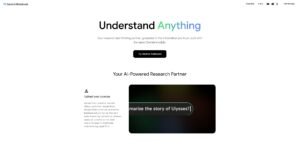
6. Google NotebookLM (Free, in Preview) — Best for Studying and Source-Grounded Research
NotebookLM only answers based on documents you upload, which makes it unusually reliable compared to a general chatbot that might guess. It also generates audio summaries of your source material, which is genuinely useful for reviewing notes on the go.
Students, researchers, and anyone digesting long PDFs get the most value here.
The obvious limitation: it’s not a general-purpose assistant. Ask it something outside your uploaded sources and it won’t help.
7. Leonardo AI (Free) — Best Free AI Image Generator
Leonardo gives free users 150 credits per day, which works out to roughly 30 to 50 generated images with no watermark attached.
For anyone who wants Midjourney-style output without a Midjourney subscription, this is currently the strongest free option on the market.
Image quality sits a step below top-tier paid generators, and unused daily credits don’t roll over, so they disappear if you don’t use them.

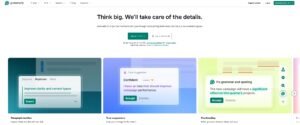
8. Grammarly (Free) — Best Free Writing and Grammar Assistant
Grammarly’s free tier checks spelling, grammar, and basic clarity in real time across your browser, email, and most writing apps, which makes it close to invisible once installed.
It’s the easiest tool on this list to adopt because it works in the background rather than requiring a separate workflow.
Tone detection, advanced rewrites, and plagiarism checking are reserved for Grammarly Premium.
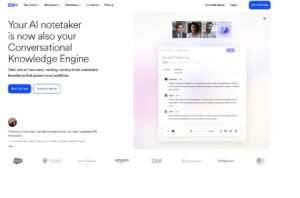
9. Otter.ai (Free) — Best Free Meeting Transcription
Otter’s free plan includes 300 transcription minutes a month, capped at 30 minutes per conversation, plus live transcription and speaker identification for Zoom, Teams, and Google Meet calls.
For anyone attending the occasional meeting who just wants a searchable transcript afterward, this covers real use, not just a demo.
The honest limitation: 300 minutes disappears fast if you’re in back-to-back calls, and you only get three lifetime file imports total, not per month.
10. QuillBot (Free) — Best Free Paraphrasing Tool
QuillBot’s free paraphraser rewrites sentences for clarity and tone, alongside a basic grammar checker, without requiring a card on file.
It’s a solid second pass after a first draft, especially for non-native English writers or anyone cleaning up an AI-generated draft so it reads more naturally.
The free version caps how many words you can paraphrase at once and limits which rewrite “modes” are available.

So which are the best free AI Tool in 2026?
And the Winner Is: ChatGPT
If you can only keep one tool on this list, make it ChatGPT. It’s the most versatile option here, covering chat, research, image generation, and file analysis in one place, and its free tier has improved enough that most casual users will never feel the rate limit.
Claude is the better choice if your work is writing-heavy or document-heavy. Gemini wins if you already live inside Google Workspace. But for a single, no-decisions-needed starting point, ChatGPT is still the safest default in 2026.
Building a Free AI Stack That Actually Works
None of these tools need to work alone. A realistic free stack looks like this: Perplexity or NotebookLM for research, ChatGPT or Claude for drafting, Grammarly for polish, and Canva Magic Studio for the visuals. Add Otter if your work involves meetings.
That’s five tools, zero dollars, and enough capability to run most of a solo content or marketing workflow.
Want the full, constantly updated list of free AI tools we’ve tested? Browse the Free AI Tools category for more picks, or subscribe to our newsletter below to get new tool breakdowns before we publish them on the site.
Frequently Asked Questions
Are these tools really free forever, or just free trials?
Every tool on this list has an ongoing free tier that doesn’t expire after a set number of days. Some, like ChatGPT and Claude, use rate limits instead of time limits, meaning the free access itself never runs out, only your usage per day or per few hours does.
Do any of these require a credit card to sign up?
No. Every tool here can be created with just an email address or a Google/Microsoft login. If a “free” tool ever asks for card details before you’ve used it, that’s usually a sign the free tier is really a disguised trial.
Which one should a total beginner start with?
ChatGPT. It has the largest user base, the most tutorials and guides available online, and covers the widest range of everyday tasks without needing to learn a second tool right away.
Can I run an entire small business on just free AI tools?
For a while, yes. Many solo founders and freelancers use exactly the stack described above — research, drafting, editing, and design — for months before their usage outgrows the free limits. At that point, upgrading just one or two tools, rather than all of them, is usually the more cost-effective move.
How often is this list updated?
Free tiers change often, sometimes without much notice. We revisit this list regularly and note any major shifts in limits or pricing as soon as we catch them.
Looking for more cutting-edge AI tools and resources? Visit Best AI Tool Spot to discover the latest AI platforms, software reviews, and emerging technologies shaping the future.