











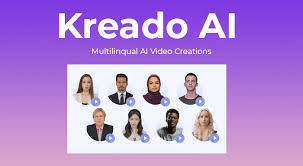
Kreado AI is a tool for making AI videos fast. You pick a digital avatar, type what you want it to say, and the tool turns that into a video.
It supports tons of voices and many languages. You can also import slides, images, or URLs and turn them into video content. It feels like making a slideshow with a talking host.
People use Kreado AI for promo videos, TikTok clips, tutorials, training content, and social media stuff.
It works for small creators and teams who don’t wanna deal with cameras and filming. The platform makes it easier to put out video content without a crew.
KreadoAI gets around 298,500 monthly visitors on its main site, showing healthy interest from creators, marketers, and learners around the world.
Across platforms like Facebook and Instagram, Kreado AI has a modest but growing following. Combined, its social presence totals around 250+ followers (small but active community).
Making a video in Kreado AI is chill. You start by picking an avatar or uploading a pic to make a custom digital human.
Then you type your script or paste text, choose a voice and language, and hit generate. You can tweak backgrounds, add effects, or import slides and URLs to build the story.
Kreado AI brings a variety of tools under one hood. It has a large avatar library with over 1000 designs. It can convert text to speech in 140+ languages.
You can upload audio or PPT slides to make videos. It even has background removal and face swap tools built in. All of this helps you crank out content quickly without extra apps.
Kreado AI’s pricing uses a virtual credit system called K-coins to pay for video creation.
• Free Plan: $0 gives you 180 K-coins, about 3 minutes of video creation, a handful of avatars, basic voices, and 1080p output. No credit card needed.
• Premium Plan: Around $24 per month with yearly billing. You get more K-coins, hundreds of avatars, watermark-free videos, faster processing, and more voices.
• Pro Plan: About $50 monthly (annual billing). This gives you even more avatars, unlimited avatar clones, API access, priority support, and longer video limits.
• Enterprise Plan: Custom pricing for big teams with tailored video lengths and dedicated support.
Pricing feels flexible. You can start free and scale as your content needs grow.
Kreado AI nails the basics of AI video creation in a way that feels accessible. The avatar library is big, voices are many, and the workflow is simple.
You don’t need fancy gear or video editing skills. It also supports social-ready formats and foreign languages well.
The tool’s slide and URL-to-video features are nice for repurposing content fast. And having instant voice options in 140 languages feels legit for global creators.
While Kreado AI is powerful, it’s not perfect. Some users might find avatar lip sync a bit off at times.
Also, growth in social communities is still early, so support and tutorials might not be as rich as big platforms yet.
Depending on your plan, the K-coin system might feel confusing at first, especially if you’re new to credit-based tools.
Start with the free plan to test features and see what types of videos you can make.
Once you know how long your outputs should be, upgrade to premium or pro so you don’t run out of credits. Mix avatars, voices, and templates to keep content fresh and on brand.
Because the tool supports many languages and voice styles, you can easily localize videos for different audiences without hiring voice talent.
Kreado AI feels like a next-level toolkit for AI video creation. It’s user-friendly, packs useful features, and scales with how much content you wanna make.
If you’re into quick, polished videos without a crew, it’s worth exploring and even using every day.
