






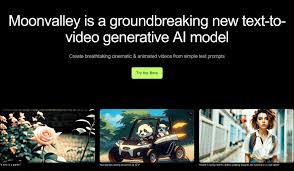
Moonvalley is an AI video generation tool that turns text prompts or images into short cinematic videos. You type an idea or upload a picture, and the AI creates a moving scene for you.
It focuses on realistic motion, 3D-aware shots, and licensed training data, which makes the videos safer for commercial use.
You feed Moonvalley either a text prompt or an image (or both), and the AI builds a video clip for you.
The tool supports camera path control, scene layering (foreground / background / midground), and smooth transitions for a polished cinematic feel.
It works for short video clips often 5-second outputs enough to create intros, visual snippets, reels, or cinematic previews.
Moonvalley gives you control over camera moves, framing, motion transfer, and scene layering. You can set zoom, pan, rotation, and get realistic 3D feel thanks to depth-aware generation.
It supports multiple styles from realistic to stylized giving you flexibility in mood. The AI only uses licensed data so your outputs are safe for commercial use.
The output comes in HD (1080p) at a good frame rate, making it usable for many creative or marketing purposes.
Moonvalley does not offer a free unlimited plan for video generation.
The standard plan costs $14.99 per month for 100 credits that’s typically enough for about 10 video generations at 1080p.
If you need more, there’s a mid-tier plan at $34.99 per month for 250 credits (up to 25 videos).
For heavy users, a pro plan costs $149.99 per month giving 1,000 credits roughly up to 100 video clips suitable for creators or studios with frequent needs.
Based on some traffic data, Moonvalley has seen figures like around 30,400 monthly visits (desktop traffic sample) over a certain recent period.
Its main audience seems spread across different countries, showing global interest in the platform.
On social platforms and community reach the tool lists a number of followers (on sites like Product Hunt) which hints at a growing user base.
Moonvalley makes video generation very easy you don’t need advanced editing skills or heavy software.
It produces good quality output (1080p, smooth motion, cinematic look) that works for short clips or promotional visuals.
Flexible pricing plans give options for casual users (standard plan) or heavy creators (pro plan).
The fact it’s trained on licensed footage makes it safer for commercial use important for businesses or brands.
Control over camera path, layering, and motion gives more creative freedom than many simple AI tools.
There’s no free unlimited plan the credit-based model means you’ll need to commit to paid plans for regular use.
Each video generation uses credits, so heavy use can get costly over time.
Outputs are short often limited to a few seconds so not ideal if you want long-form video.
Advanced editing features (like manual keyframe control, audio sync, long clips) are limited compared to full video editors.
Moonvalley is ideal for creators who want quick visual content like social media clips, short promos, cinematic intros, or concept visuals.
It’s great if you don’t have video editing experience but want to turn ideas, prompts, or images into polished clips fast.
Small businesses, indie creators, marketers, storytellers all can benefit from Moonvalley’s ease and output quality without heavy investment or skills.
Moonvalley hits a sweet spot between ease-of-use and creative control.
It doesn’t try to replace full-blown editing suites. Instead, it gives a quick path from idea to video.
If you need short cinematic clips, visual teasers, or quick content without fuss Moonvalley has your back.
Just keep in mind credits and output limits if you plan heavy use.
