












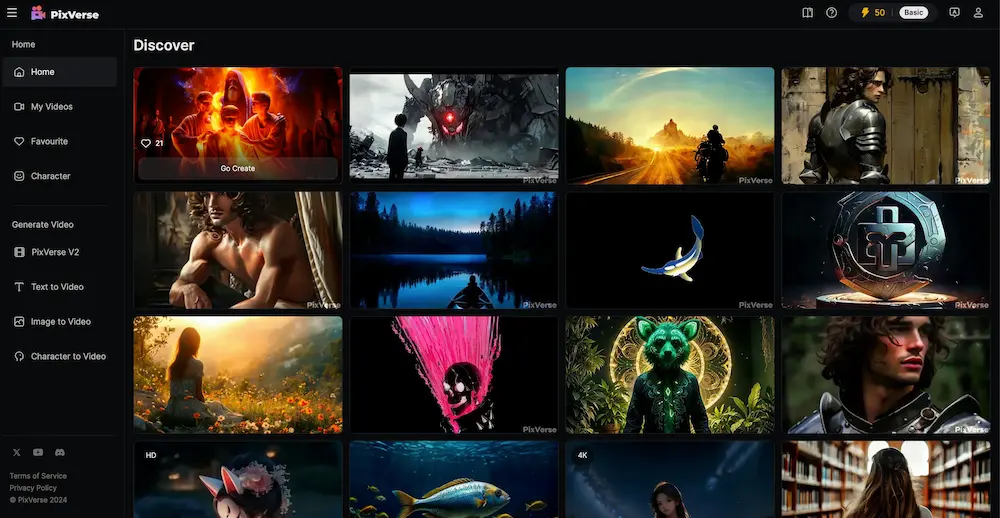
PixVerse is an AI video generator that turns images or text into video. You upload a photo or input a prompt, pick an effect or style, and PixVerse builds a video for you.
It is meant for creators, marketers, and anyone who wants quick, eye-catching videos without heavy editing.
PixVerse uses strong AI models to animate static images. Results look smooth and natural. It supports different aesthetics and video formats.
Its interface is easy. You don’t need special skills to start. Even if you’re new, you can create a video in minutes.
You can do text-to-video or image-to-video. Upload a picture or write a prompt and let the AI build motion, transitions, visual effects.
There are pre-designed scenes, templates, and visual presets to pick from helps if you want a quick, good-looking result.
You can get watermark-free videos (in many of the paid plans) and export in decent resolution (up to 1080p for many plans).
The tool often updates, so new effects and improvements arrive periodically helping you stay current with video trends
PixVerse has a free plan good for testing, with daily credits and basic output.
Paid plans start at $10/month for more credits and up to 720p output. For heavier usage or better quality you can go with $30/month or $60/month plans, getting higher credits, more concurrent generations, and full HD output.
For teams or business needs there’s higher-tier plan (from about $100/month) with API access, more output volume and higher flexibility.
PixVerse’s website gets many visitors recent data shows ~8.8 million visits/month, and other sources say around 10-12 million.
That shows it’s widely used and has decent visibility.
You don’t need to know video editing. Upload a pic or write prompt, and you get a video.
The output is good quality (up to 1080p), usable for social media, ads, promos, or fun content.
Flexible pricing from free to paid tiers works for hobbyists and professionals.
Many styles, templates, and effects to choose from, so you can match mood, theme, or platform.
Fast results no need for long rendering or complex tools.
The basic plan is limited few credits and simpler output quality.
Heavy use or high-quality output needs paid plan.
Some users reportedly had trouble cancelling subscription or switching plans I’m having the same problem
seems they are hiding the cancel feature”
Not all advanced editing features exist (so for complex editing or custom edits, may fall short).
If you make social media content, ads, promos or simple video content without wanting to spend hours editing, PixVerse is great.
If you are a small business, solo creator, or marketer and just need quick eye-catching video clips to show
products or ideas.
If you don’t have video editing skills but want visuals beyond static images PixVerse fills that gap.
PixVerse is solid for quick, simple, AI-powered video creation. It does not try to replace full video editing suites but gives you a fast, easy way to generate content that looks modern.
The pricing is fair and offers flexibility. Just know its limits: credits, plan tiers, and simpler editing means you won’t get very advanced custom control.
