Wondershare Virbo is an AI-powered video maker that helps you turn simple text, images, or scripts into polished video output.
It uses realistic AI avatars, natural voices and intuitive automation to make pro-level videos fast.
The tool supports massive language options and voice styles so your content feels native to your audience no matter where they are.
You don’t need heavy editing skills or a big crew to get started.
Monthly website visits for Virbo sit around 384,410 visitors per month showing decent ongoing interest before discontinuation.
Across official social channels combined (YouTube, Instagram, TikTok, Facebook, X), estimated followers reach around 14,953 total (based on parent brand engagement data).
Virbo packs lots of handy video tools that creators dig into every day. You get a big avatar library with hundreds of realistic characters that can speak your script naturally.
It also auto-generates voiceovers and scripts so you don’t sit and write every line yourself. You can translate videos into different languages and still keep meaningful lip sync and voice feel.
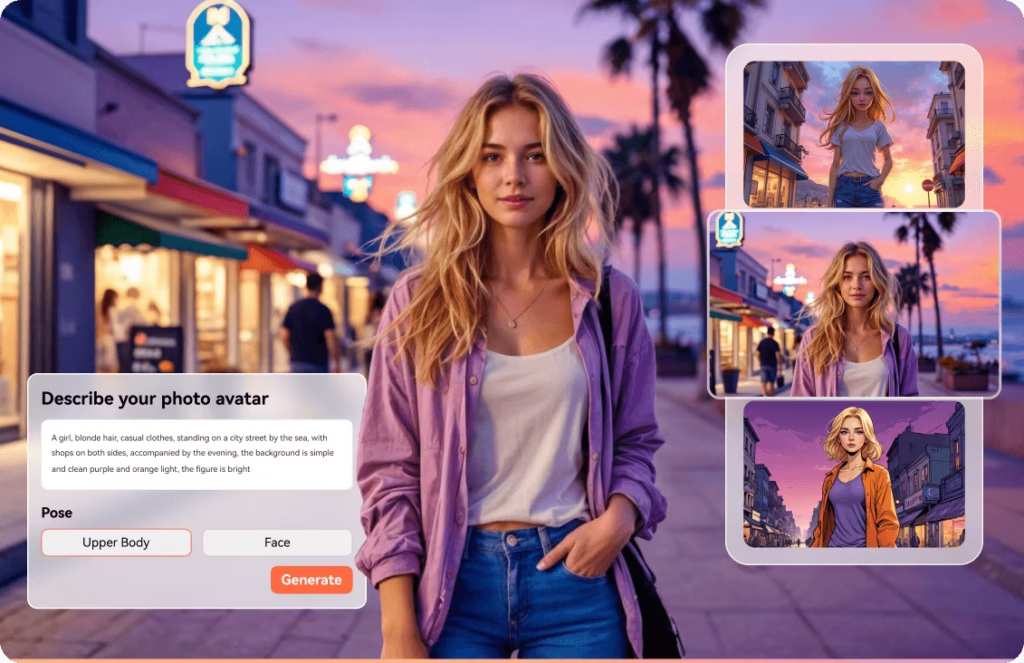
There’s also text-to-video, talking photos, quick montage maker, and URL-to-video so you can spin content from lots of sources without fuss.
This makes it quick for marketing clips, training videos, social post content, and more. The dashboard is clean and smooth, so even beginners don’t feel lost.
You can sign up and start for free to try basic features.
Then pricing scales with how much video you want to video generate and how fast you need the exports:
There’s also flexible video credit packs where you buy a certain number of minutes (like 20, 40, or 80) and use them month to month.
Prices reset each billing cycle and unused credits don’t carry over.
Virbo saves time versus setting up cameras and actors, especially for simple spokespeople or explainer videos.
It works fast so content can be ready for upload or sharing in minutes rather than hours. The language and voice flexibility makes it ideal for international audiences.
The UI is friendly so even beginners start pumping out videos without tutorials.
And the range of AI tools means you can do more than one thing in one place (translate, animate, generate script).
Creators use Virbo to make marketing snippets, social media posts, internal training videos, and presentations.
It’s also handy for businesses who want multilingual versions of the same video without hiring voice talent in every language.
Teachers and educators use it to quickly make classroom or training content without mastering editing software.
A lot of folks leverage autogenerated scripts to jumpstart ideas instead of staring at a blank doc.
Wondershare Virbo is (or was) a smart choice if you want quick AI-done videos without dealing with traditional video editing tools.
It’s perfect for marketers, creators, and educators who care about speed, simplicity, and multilingual reach.
It brings lots of AI power into one place so you can create, translate, voice, and personalize videos without a huge learning curve.
Just keep in mind the business change in 2025, and plan accordingly on how you want to use it going forward