











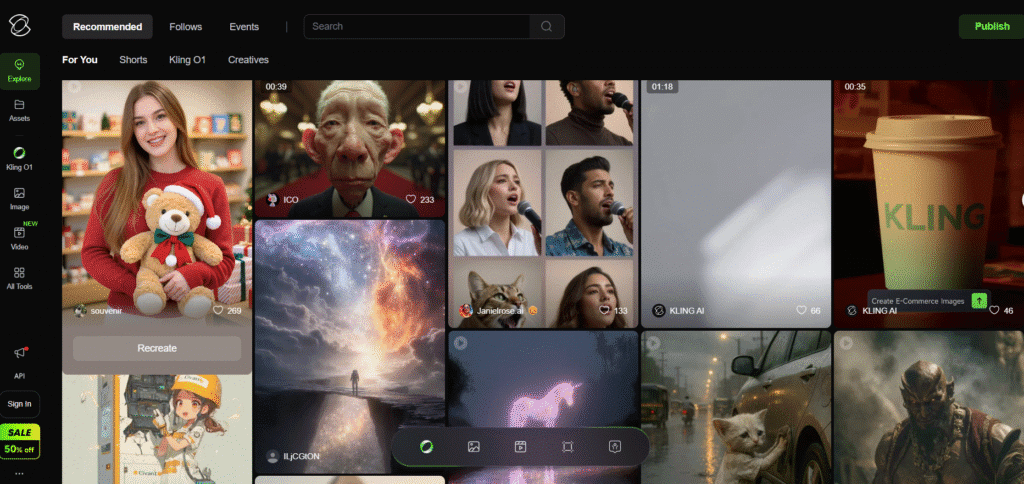
Kling 2.6 is the latest major version of the AI video model from Kuaishou. It generates both video and audio together meaning dialogue, ambient noise, sound effects, or music come out synced with visuals.
This is a big step up over older video-AI options that gave silent video only. Now you get ready-to-use clips without separate editing, voice-over or sound mixing.
You can use either a text prompt or a starting image (or both) as input. The model will parse your prompt, figure out motion, scene, audio cues, camera moves then output a short cinematic clip
Turn a script or short descriptive prompt into a video with fully synchronized sound and visuals. Good for storytelling, ads, social clips, intros.
Upload a photo (or series of images) + text prompt to animate it. Static images come alive movement, ambience, audio. Great for animating concepts or artwork.
Create short films, vlogs, animated scenes with dialogue, background ambience and sound effects. Kling 2.6 supports multi-character dialogue, natural voiceovers, even singing or music, depending on prompt.
Use as rapid prototyping tool. Instead of full film production or complicated editing, you can produce quick high-quality clips. Nice for social media content, ads, promos, or idea preview
Kling 2.6 offers free-tier access with daily credits so you can test things without payment.
For regular or heavy use (higher quality, more generations), you’ll need paid credits or a subscription plan.
Based on public info: entry-level access is relatively affordable (many AI-video tools are credit-based).
Because pricing depends on credits, resolution, video length and output type (with or without audio), it’s flexible. Users can stay light or go all-out depending on their needs.
You get full video audio in one go. No need to export, record voice-over, add music or effects separately.
Simple workflow: use plain text or image prompts. No editing skills needed. Good for beginners and creators who want speed.
Output is solid: 1080p video, smooth motion, cinematic vibe, decent quality for social media, marketing or creative content.
Supports multi-character scenes, dialogue, ambience or music. That adds depth for storytelling or dynamic content.
Flexible credit/plan system lets you scale usage based on need from small tests to heavier content production.
Generated clips tend to be short (many public demos mention 5 to 10 seconds). For longer video you might need to stitch multiple clips, which can complicate flow.
As with many AI-video models, very complex scenes (many characters, intricate motion or heavy VFX) may push the limits output may feel less “film-grade.”
For large volume or commercial-scale production, credits can add up. Heavy users might find costs rising depending on their output needs.
Within public/freelancer use, there are periodic complaints about generation delays or bugs (especially on free credits or heavy load times).
With video content dominating social media and marketing, demand for quick, high-quality clips is booming. Kling 2.6 answers that demand by making video + sound generation as easy as writing a prompt.
It lowers the barrier to video creation no need for cameras, sound studios or editing suites. Anyone with an idea can transform it into a cinematic clip fast.
For businesses, creators, marketers it’s a shortcut from concept to ready-to-share content.
Kling 2.6 is a big step toward democratizing video creation. It brings together visuals, motion, audio, dialogue all in one simple, prompt-based workflow.For social media, marketing, ads, creative projects or quick storytelling, it delivers solid value.
It’s not a substitute for full scale film production. But for many daily-need cases promos, clips, experimental content it’s a powerful, efficient tool. If you balance prompt clarity and plan smart usage, Kling 2.6 can save time, money and effort while delivering impressive results.
